
Screenshots

App details
- Version
- 1.9.6 | 1.4.1
- Size
- 157.87 KB
- Updated
- February 13, 2019
- Requires
- Windows 2000
- Language
- English
- License
- Free
- Developer
- Visit Website
- Category
- Windows OS
SoftPas in:
This product is also available in the following languages:
About Shareaholic
Download Shareaholic – Free Bookmarking & Social Sharing Extension
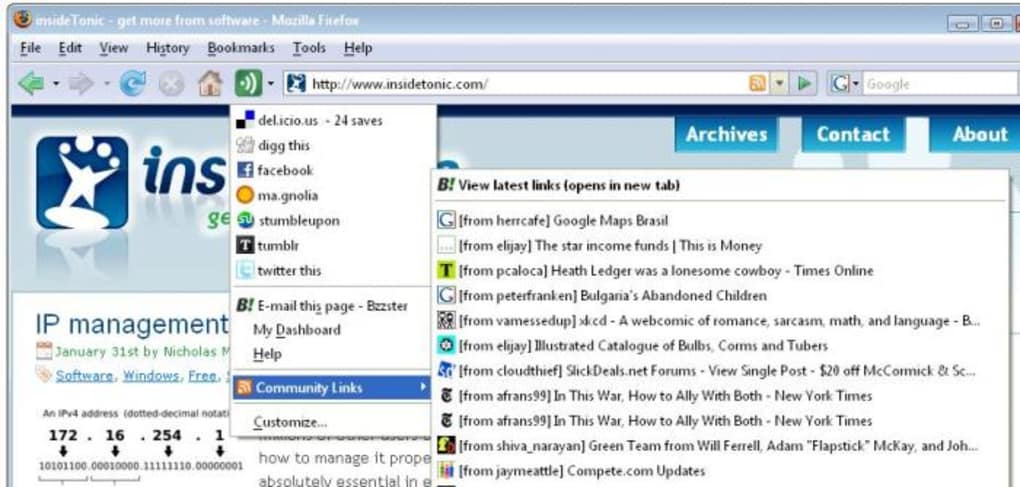
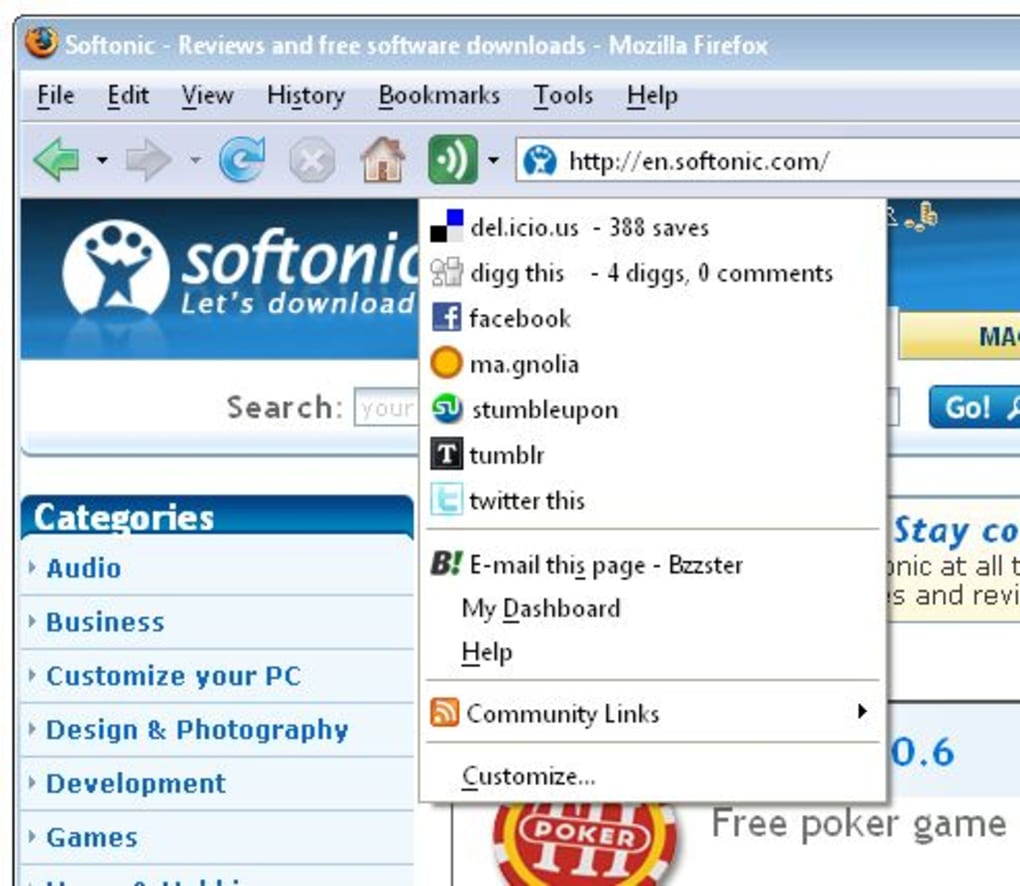
Shareaholic is a lightweight browser extension that turns any web page into an instant bookmarking and social‑sharing hub. Designed primarily for Firefox, the tool also works seamlessly with Chrome, Edge, and Safari, letting you push links to popular services such as Digg, StumbleUpon, Delicious, Facebook, Twitter, Tumblr, Reddit, and more – all without leaving the page you’re reading. The moment you install Shareaholic, a new toolbar button appears, offering a dropdown menu packed with the most widely used social‑media and bookmarking platforms. This eliminates the need to open separate tabs, log into each service, and manually paste URLs. Instead, a single click sends your favorite article, video, or product page to the destination of your choice, while automatically generating a short, trackable link. For power users who constantly curate content for newsletters, blogs, or personal reading lists, Shareaholic dramatically reduces friction and speeds up the workflow. The extension also features a “Discover” pane that surfaces trending links shared by your network, helping you stay on top of the latest topics without scouring multiple sites. Although the documentation mentions a partnership with a link‑sharing service called Bzzster, the exact nature of that relationship is not publicly clarified, which has raised some curiosity among privacy‑conscious users. Overall, Shareaholic positions itself as the go‑to tool for anyone who wants to bookmark, share, and discover web content quickly, securely, and for free.
Key Features of Shareaholic
- One‑Click Multi‑Platform Sharing: Push URLs to over 30 social networks and bookmarking services with a single click.
- Customizable Toolbar Button: Drag‑and‑drop the Shareaholic icon to your preferred location on the browser toolbar.
- Smart Link Shortening: Built‑in URL shortener creates compact links that are easier to share on character‑limited platforms.
- Discover Feed: A live feed of popular links shared by your connections, helping you find fresh content without leaving the page.
- Bookmark Sync: Sync your saved links across devices through integrated services like Delicious and Pocket.
- Privacy Controls: Options to disable tracking, opt‑out of analytics, and manage which services receive your data.
- Automatic Title & Image Extraction: The extension grabs the page title and featured image for a richer sharing preview.
- Free Updates: Regular updates improve compatibility with new browser versions and add emerging social platforms.
- Lightweight Design: Minimal impact on browser performance; the extension loads in under 200 KB.
- Cross‑Browser Support: Available for Firefox, Chrome, Edge, and Safari, ensuring a consistent experience across operating systems.
Installation, Setup, and Everyday Usage
Installing Shareaholic is a straightforward process that takes just a few minutes, even for users with limited technical expertise. Begin by navigating to the official extension store for your browser – the Mozilla Add‑ons site for Firefox, Chrome Web Store for Chrome, or the Microsoft Edge Add‑ons marketplace for Edge. Search for “Shareaholic” and click the “Add to …” button. A permission prompt will appear, outlining the data the extension needs to function (access to read and change data on the sites you visit). Review the permissions, then confirm the installation. Within seconds, the Shareaholic icon appears in the toolbar, usually represented by a blue “S” inside a circle.
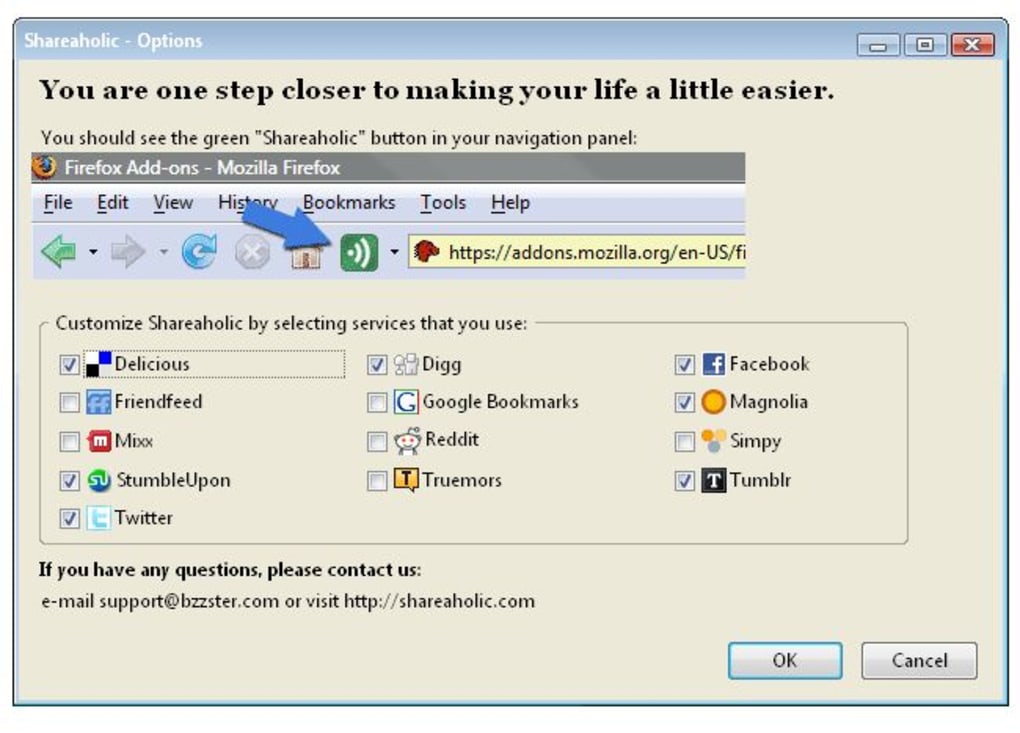
First‑time users are greeted with a brief onboarding wizard. The wizard walks you through connecting your favorite bookmarking and social accounts. Simply click the “Connect” button beside each service, log in to the respective platform, and authorize Shareaholic to post on your behalf. You can skip services you don’t use; the wizard allows you to customize the order of icons in the dropdown menu, making your most‑used platforms readily accessible.
Using Shareaholic on a daily basis is as simple as clicking the toolbar button while browsing. The dropdown reveals categorized groups – “Social Networks,” “Bookmarking Services,” and “More Options.” Hover over an icon to see a preview of the post, then click to share. For instance, clicking the Twitter icon opens a small overlay where you can edit the tweet text before publishing. The extension automatically shortens the link using its built‑in shortener, saving you character space. If you prefer to save a page for later, select a bookmarking service like Pocket; the page is added to your account instantly, and you receive a confirmation toast notification.
Advanced users can take advantage of the “Custom Services” feature. By entering a custom URL pattern and specifying POST parameters, you can integrate niche platforms or internal company tools. Additionally, Shareaholic offers a “Batch Share” mode, where you can select multiple open tabs and share them all at once to a chosen service – a handy feature for curators preparing a weekly roundup.
To keep Shareaholic performing optimally, enable automatic updates in your browser’s extension settings. The developer releases updates roughly every 4–6 weeks, addressing security patches, adding new services, and improving UI responsiveness. If you encounter any glitches, a “Reset Settings” button restores the default configuration without removing your connected accounts.
Compatibility, Pros, Cons, and Frequently Asked Questions
Supported Operating Systems
Shareaholic runs on any operating system that supports the major browsers mentioned above. This includes Windows 10/11, macOS Catalina and later, Linux distributions (Ubuntu, Fedora, etc.) using Firefox or Chrome, and mobile browsers on Android 10+ and iOS 13+. The extension’s codebase is built with web‑standard technologies (HTML5, CSS3, JavaScript), ensuring consistent behavior across platforms.
Pros
- Instant sharing to a wide range of social and bookmarking services.
- Free to use with regular feature updates.
- Lightweight and does not noticeably slow down browsing.
- Highly customizable toolbar and service order.
- Built‑in link shortener and preview generation.
- Cross‑browser availability guarantees a unified experience.
- Privacy options allow users to limit data collection.
Cons
- Occasional latency when loading the “Discover” feed on slower connections.
- Some users report confusion around the undocumented Bzzster partnership.
- Limited support for newer niche platforms until they are added in future updates.
- Requires permission to read data on all visited sites, which may concern privacy‑focused users.
FAQ
Is Shareaholic completely free?
Yes, Shareaholic is offered at no cost. The developer funds the project through optional premium features and affiliate partnerships, but the core bookmarking and sharing functions remain free for all users.
Can I use Shareaholic on mobile browsers?
Shareaholic is primarily built for desktop browsers. However, a lightweight mobile version is available for Chrome on Android and Safari on iOS, providing the same one‑click sharing experience.
How does Shareaholic handle my personal data?
The extension only stores the minimum information needed to share links (URL, title, and optional image). You can disable analytics in the settings, and the developer’s privacy policy outlines that no personal browsing history is collected or sold.
What is the relationship between Shareaholic and Bzzster?
Bzzster is a link‑shortening and analytics service that Shareaholic can optionally use for generating shortened URLs. The partnership is optional; users can switch to the built‑in shortener or disable it entirely in the preferences.
Will Shareaholic interfere with other extensions?
In most cases, Shareaholic coexists peacefully with ad blockers, password managers, and other productivity extensions. If you notice conflicts, try disabling other extensions that also modify the toolbar or page context menus.
Final Verdict – Why You Should Download Shareaholic Today
If you regularly curate articles, videos, or product pages for personal reading lists or for sharing with a wider audience, Shareaholic is a game‑changer. Its one‑click workflow eliminates the repetitive steps of opening separate sites, logging in, and manually copying URLs. The extension’s extensive service list ensures you’re never limited to a single platform, and the “Discover” feed keeps you informed about trending content within your network. While the Bzzster connection may raise questions, the optional nature of that feature means you retain full control over your data. With a free price tag, lightweight footprint, and cross‑browser compatibility, Shareaholic offers a compelling value proposition for both casual browsers and power users alike. Install it today, customize the toolbar to match your workflow, and experience a smoother, more efficient way to share the web.
Guides & Tutorials
How to install Shareaholic
- Click the Download button above.
- Once redirected, accept the terms and click Install.
- Wait for the Shareaholic download to finish on your device.
How to use Shareaholic
This software is primarily used for its core features described above. Open the app after installation to explore its capabilities.
User Reviews
No reviews yet. Be the first to share your experience.
You may also like
more
Llama 2
Free-to-use large language model As the new addition to Meta’s arsenal of langua...

NotebookLM
Revolutionizing the note-taking and idea-generation process NotebookLM is an exp...

Github co pilot
AI-inspired software development and coding platform GitHub Copilot is a browser...

Google Gemma
Google’s lightweight AI models Introducing Google Gemma , a family of cutting-ed...

AI Image Enlarger
A free app for Windows, by ai-image-larger. AI Image Enlarger is a free software...

DALL E
AI-driven text-to-image transformation engine DALL·E is a free graphic and desig...